5gbd App — Play Slots, Fishing & Live Casino on Your Phone
The 5gbd App puts over 2,100 games on your screen, wherever you are in Bangladesh. Deposit with bKash or Nagad, withdraw in around 19 minutes, and never miss a live table again. Free to download, free to install.
- 18+
- SSL Encrypted
- 24/7 Support
- bKash · Nagad
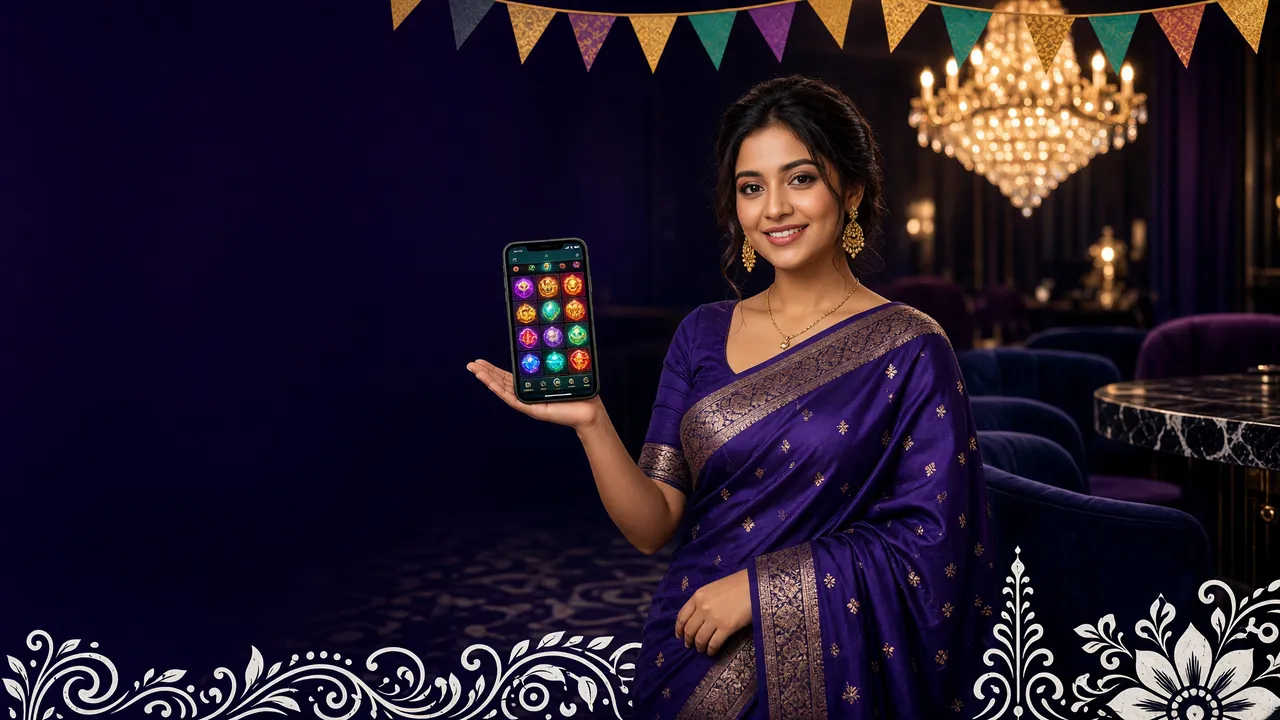
What the 5gbd App Puts on Your Phone
Six things that make the app worth the download — real games, real payments, real speed.
Slots on Demand
Spin reels from Playtech, JILI, JDB and Spribe — over 2,100 titles — without opening a browser tab. Ways of the Qilin, Ocean King Jackpot and Dragon Master load in one tap. Min bet from ৳2, so you can play during a short commute without burning your balance.
Fishing Games
Relax Fishing, Pirate Fishing and Cannon Fishing run smoothly even on mid-range Android handsets. The touch controls are designed for small screens — you aim and fire without fat-finger misclicks that plague the browser version on a 5-inch display.
Live Casino Tables
Blackjack MH and European Blackjack from Playtech stream at stable frame rates over mobile data. The app switches automatically between WiFi and 4G without dropping your table session — useful when you move rooms at home during a long evening session.
Fast Deposits via bKash & Nagad
Tap "Deposit", choose bKash or Nagad, enter your amount (minimum ৳300), and confirm in the payment app. Money lands in your 5gbd wallet in about 2 minutes. The app keeps your preferred payment method saved so you skip re-entering details every time.
Push Notifications
Turn on notifications and the 5gbd App tells you when a reload bonus is live, when your withdrawal clears, or when a game provider drops a new title. You choose which alerts matter — bonus pings, payment updates or both. No spam, just the events you opt into.
Night Mode & Data Saver
The app respects your phone's dark-mode setting and includes a built-in data-saver toggle that reduces game assets by roughly a third — handy on slower connections outside Dhaka. Battery use is also lower than running the full browser with multiple tabs open.
Games Available Inside the 5gbd App

Ways of the Qilin
Playtech · RTP 96.9%

Relax Fishing
JDB · RTP 96.9%
Blackjack MH
Playtech · RTP 95.6%
Browse the full game list on the 5gbd Casino lobby page.
Is the 5gbd App Safe to Install?
Four things the app does — and does not — do with your phone.
256-bit SSL on Every Request
All data between the 5gbd App and our servers travels over HTTPS with 256-bit encryption. That includes your login credentials, deposit amounts and game history. The certificate is verified on first launch — the app will refuse to connect if it detects a tampered endpoint, protecting you from man-in-the-middle attacks on public WiFi.
No Camera or Microphone Access
The 5gbd App does not request camera, microphone or location permissions. Android will only prompt you for internet access and optional notification permission. If a file on another site asks for camera access while claiming to be the 5gbd APK, that is not our file — download only from /download/5gbd.apk on this page.
APK Signed & Version-Verified
Every release is signed with our developer certificate before publishing. When you update, Android checks the signature matches the original — it will block installation if someone has tampered with the file. The current signed version is 3.7.11. Always update through the in-app prompt or by re-downloading from this page.
Account PIN & Auto-Logout
You can set a 4-digit PIN inside the app so that opening it requires confirmation — useful if you share a phone. The app also auto-logs out after 15 minutes of inactivity. If you lose your device, contact support via the login page to freeze your account immediately. We do not store card numbers on-device.
Install the 5gbd APK on Android — 5 Steps
This takes under three minutes on most phones. Android 8.0 or higher required.
-
1
Allow Installation from Unknown Sources
Go to Settings → Security (or Settings → Apps → Special App Access → Install Unknown Apps on Android 10+). Find your browser and toggle Allow from this source to on. This one-time step tells Android it is safe to install APK files you downloaded yourself — not just those from Google Play. You can turn it off again after installation if you prefer.
-
2
Download 5gbd.apk from This Page
Tap the green Download APK button on this page. Your browser will save 5gbd.apk (32 MB) to your Downloads folder. Wait for the download bar to reach 100% — do not open the file until the transfer is complete or the APK will be corrupt and Android will refuse to install it. Expected download time on a standard Grameenphone 4G connection: about 10–15 seconds.
-
3
Open the APK File
Pull down your notification shade and tap the completed download notification, or open your Files app and navigate to Downloads. Tap 5gbd.apk. Android will show a screen listing the app name, version (3.7.11) and the permissions it requests. Confirm these match what you expect — internet access and notifications only. If anything else appears, delete and re-download from this page.
-
4
Tap Install and Wait
Hit the Install button. Android copies and verifies the file — this takes 10–30 seconds depending on phone speed. You will see a progress bar, then a confirmation screen saying App installed. Do not press the back button during this stage or you will need to restart from step 3. If your storage is under 100 MB free, free up space first to avoid a failed install error.
-
5
Log In or Register
Tap Open on the success screen. The 5gbd App loads to the login screen. If you already have an account, enter your username and password — see the 5gbd Login guide for password-reset help. New player? Tap Register inside the app or visit the 5gbd Register page first to claim your first-deposit bonus before making your initial deposit.
iOS: Add 5gbd to Your Home Screen
- Open Safari and go to 5gbd.best
- Tap the Share icon (box with arrow) at the bottom of the screen
- Scroll down and tap Add to Home Screen
- Change the name to 5gbd if you like, then tap Add
- The 5gbd icon appears on your home screen — it opens the site in full-screen mode, just like a native app
Works on iPhone and iPad running iOS 14 or later. No App Store download needed.
5gbd App — Version & Download Details
Everything you need to know before tapping Download.
| Detail | Value |
|---|---|
| File Name | 5gbd.apk |
| Version | 3.7.11 |
| File Size | 32 MB |
| Minimum Android | 8.0 (Oreo) |
| Last Updated | 5 November 2026 |
| Price | Free |
| Language | English / Bangla |
| Platform | Android (APK); iOS via Safari PWA |
| Permissions | Internet, Notifications (optional) |
- Total Games
- 2,100+
- Deposit Speed
- ~2 min
- Withdrawal Speed
- ~19 min
- Min Deposit
- ৳300
Supported Payment Methods in the App
- bKash Deposit ~2 min · Withdrawal ~19 min · ৳0 fee
- Nagad Deposit ~2 min · Withdrawal ~19 min · ৳0 fee
- Rocket Deposit ~2 min · Withdrawal ~19 min · ৳0 fee
- Upay Deposit ~2 min · Withdrawal ~19 min · ৳0 fee
5gbd App vs Playing in a Browser
Same games, same account — but the experience differs in a few important ways.
| Feature | 5gbd App (Android) | Browser (Mobile/Desktop) |
|---|---|---|
| Loading Speed | Faster — assets cached locally | Reloads on each visit |
| Push Notifications | Yes — bonus alerts, payment updates | No native push (browser tab must be open) |
| Data Saver Mode | Built-in toggle | Depends on browser setting |
| Auto Login / PIN | PIN lock + remember me | Cookie-based, clears on private browsing |
| Game Library | All 2,100+ games | All 2,100+ games |
| Deposit / Withdrawal | bKash, Nagad, Rocket, Upay | bKash, Nagad, Rocket, Upay |
| Live Casino Stream | Optimised for 4G/WiFi switch | Can stutter on network change |
| Battery Use | Lower (no browser overhead) | Higher with multiple tabs |
| iOS Support | PWA via Safari (Add to Home Screen) | Full browser — any iOS browser |
| Updates | In-app prompt; re-download APK | Always latest version automatically |
The app is the better choice for regular mobile players. The browser version is convenient for desktop or occasional play.
Does Your Phone Support the 5gbd App?
Check the minimum requirements below — most phones sold in Bangladesh since 2019 will work fine.
| Requirement | Minimum | Recommended |
|---|---|---|
| Android Version | 8.0 (Oreo) | 10.0 or higher |
| RAM | 2 GB | 3 GB or more |
| Free Storage | 100 MB (after install) | 500 MB for cache |
| Internet | 3G (5 Mbps) | 4G / WiFi for live tables |
| Screen Resolution | 720×1280 (HD) | 1080p for best visuals |
| iOS (Safari PWA) | iOS 14 | iOS 16+ |
| File to Download | 5gbd.apk · 32 MB · Version 3.7.11 | |
Tested on Samsung Galaxy A series, Xiaomi Redmi Note series and Realme C series — all popular in Bangladesh. Older phones running Android 7 will not install the APK.
Install Problems? Here's What to Check
Five common errors playersrun into, and how to fix them fast.
| Problem | Likely Cause | Fix |
|---|---|---|
| "App not installed" error appears after tapping Install | An older version of the 5gbd App is already on the phone, and the signatures don't match — often from an unofficial APK downloaded elsewhere | Uninstall the existing app first: Settings → Apps → 5gbd → Uninstall. Then re-download from this page and install fresh. Your account data is stored server-side, so nothing is lost. |
| "Parse error" during installation | The APK file is incomplete — the download was interrupted before 100%, leaving a corrupt file on your phone | Delete the partial file from your Downloads folder, reconnect to WiFi or a stable 4G signal, and download 5gbd.apk again from scratch. Confirm the file size is 32 MB before opening it. |
| Install button is greyed out or missing | "Install Unknown Apps" permission was not enabled for your browser, or you are using a browser that Android restricts from triggering installs (some older Samsung Internet versions) | Go to Settings → Apps → your browser app → Install Unknown Apps, and enable it. If you use Samsung Internet, try downloading with Chrome instead. The toggle path differs slightly on Android 8 vs 10+ — see Step 1 in the guide above. |
| App crashes immediately after opening | Device has less than 2 GB RAM or is running Android 7 — both below the minimum requirement — or the phone's storage is nearly full, preventing the app from writing cache files | Free up at least 200 MB of storage (delete unused apps or move photos to SD card), then restart the phone and open the 5gbd App again. If the problem persists and your Android is 7 or lower, use the browser version at 5gbd.best instead. |
| App won't update — stays on an old version | The app was installed from an unofficial source with a different signing certificate, so the new APK from this page is treated as a different application by Android | Back up your username, uninstall the current app, then download the latest 5gbd.apk (version 3.7.11) from this page and install it cleanly. Future updates will then apply without conflict. You can also enable in-app auto-update notifications to stay current. |
Still stuck? Contact our 24/7 Live Chat support — available directly inside the app under Help → Live Chat, or via [email protected].
Questions Players Ask About the 5gbd App
Straight answers — no runaround.
Is the 5gbd APK safe to download and install?
Can I use the same account on the app and the browser?
How do I update the 5gbd App to the latest version?
The APK download is blocked by my phone's security warning — what should I do?
Does the 5gbd App work on a tablet?
Will using the app affect my bonus or VIP progress?
How do I deposit and withdraw money through the app?
Privacy & Responsible Gaming: The 5gbd App collects only the data needed to operate your account — login credentials, transaction history and game activity. We do not sell personal data to third parties. Players must be 18 or older to register and use the app. If you feel your gaming is becoming a problem, use the self-exclusion option under Account → Responsible Gaming in the app, or contact [email protected]. 18+ · Play Responsibly.